
ADE 2026 · Bring the feeling home
Bring the ADE feeling home: make your own DJ mix
Sometimes you leave a DJ set with one moment still playing in your head. A bassline that slipped in almost unnoticed. A familiar vocal arriving from somewhere unexpected. The pause before the whole room seemed to move together. You want to hear it again—and perhaps find out whether you could make something feel like that yourself.
What is Amsterdam Dance Event?
Amsterdam Dance Event, usually shortened to ADE, is an annual gathering for electronic music in Amsterdam. Across five days and nights, its festival brings DJ sets and live performances to clubs and venues throughout the city, alongside a conference and educational programme for artists and music professionals.
It brings together different scenes, sounds and generations of DJs. For a listener, that means plenty of opportunities to discover a new favourite—and hear familiar music in an unexpected context. Explore ADE’s own introduction →
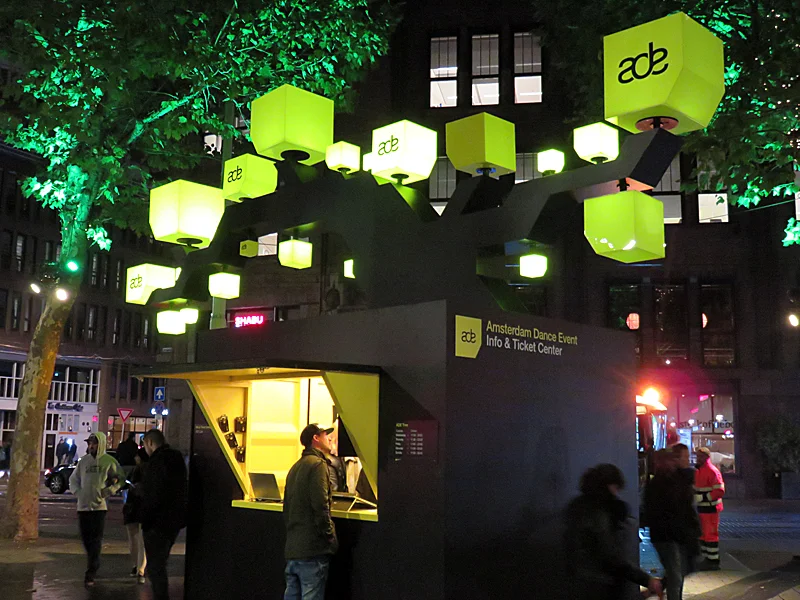
Photo: Paul2 / Wikimedia Commons · CC BY-SA 4.0 · WebP conversion; framing unchanged.

The tracks are only part of the memory
A favourite track can sound completely different after twenty minutes of anticipation. A warm melody can feel like daylight after something dark and relentless. A simple drum pattern can feel enormous when the DJ has just taken everything else away.
That is part of the pleasure of mixing: deciding what someone hears next, and what they have been listening to when it arrives. Track selection, timing and contrast work together. An immaculate beatmatch can still leave you cold; an unexpected handover can make you want to rewind.
You cannot put the room, the sound system and the people around you into a file. But you can explore the musical decisions that made the moment matter. At home, you also have something a DJ in front of a crowd does not: time to move the next track, listen again and change your mind.
Amsterdam Dance Event 2026 runs from 21–25 October. Whether you are in Amsterdam or following from your sofa, choose one moment you would like to understand. That is enough to start a mix.
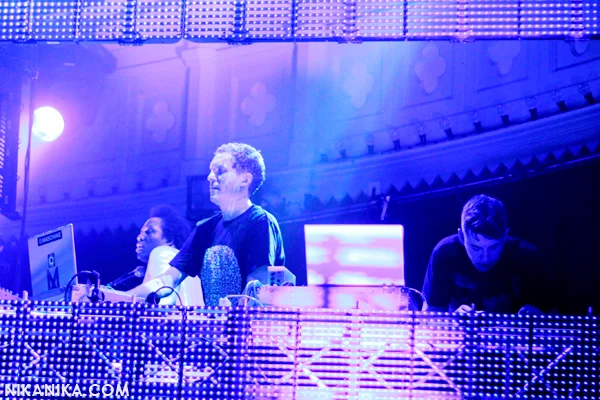
Photo: Rosa Maria Koolhoven / Wikimedia Commons · CC BY 2.0 · WebP conversion; framing unchanged.

Look for craft, not just a famous name
For a useful reference, ask what the DJ does with the music: how the tracks relate, how their phrases meet, how the overlapping sounds leave each other room, and how the set changes direction. Popularity alone cannot tell you whether a transition is worth studying.
Sofia Kourtesis at WestWeelde: contrast that still flows
In his 23 October ADE report, Festileaks writer Tim Vernimmen praised the variety and flow of Sofia Kourtesis’s set at WestWeelde. He specifically described a move from Brazilian baile funk into Underworld’s “Born Slippy”, alongside more wistful selections. That is a concrete musical reason to take an interest: very different material can belong to one journey.
Bring that idea home: choose two tracks with different textures but one point of connection—a rhythmic feel, a mood or a phrase that resolves into the next. Try a short handover as well as a longer blend. Which makes the change feel intentional? This is our exercise inspired by the report, not a reconstruction of her exact technique.
Eric Prydz at Gashouder: what stays with the audience
In an ADE 2026 discussion on r/ericprydz, several attendees praised the selection and the energy of the closing stretch. Reactions were not unanimous, and a fan discussion is not a technical review. It does show how strongly listeners respond to the order of the music and the way a set finishes.
Bring that idea home: choose your closing track first. Try two different tracks before it, keeping the ending itself unchanged. Notice how its emotional weight changes with the approach. A great closing track still needs the right way in.
Read the audience discussion and linked tracklist →
These references concern ADE 2026 performances. We have not verified an official full recording of either performance as of 24 October, so these links lead to reporting and discussion, not to a promised replay. The listening options below are separate recordings.
Start with an ADE 2026 set
SLAM! is publishing recordings from its ADE DJ booth. These three full sets are available on its official channel. They are discovery options, rather than sets we have rated for technical excellence. Pick one that makes you curious, and use the questions below to form your own judgement.
Listening links checked 24 October 2026. These are fresh uploads, not a ranking of the weekend’s best sets. The prompts above are exercises for your own listening. More broadcasts and the programme: SLAM! ADE 2026.
Listen to the minute before the moment you loved
The temptation is to jump straight to the big moment. Instead, go back a minute or two. Listen once without looking at the screen. Then listen again and write down what you hear changing.
- Anticipation: when do you first sense that another idea is coming?
- Space: which sound disappears before the next one becomes important?
- Handover: when does the incoming track feel like it has taken over?
- Afterwards: does the DJ let the new track breathe, or quickly introduce another change?
A useful note is “the vocal ends before the new bassline arrives.” “Great energy” captures the feeling, but gives you less to try. You do not need to identify every effect or know the entire tracklist. Start with one decision you can actually hear.
If the timing is hard to follow, our guide to beats, bars and phrases helps you hear where musical sections begin. If the notes seem to blend particularly well, explore the Camelot wheel and harmonic mixing. A compatible key is useful; it cannot decide which moment deserves the spotlight.
Yes, try copying the transition
Recreating a favourite transition can be a very satisfying listening exercise. Use the same recordings if you have legitimate copies, or choose two tracks from your own collection that play similar roles. One might supply a steady groove; the other might bring the melody you have been waiting for.
Listen to the reference on its original platform, then work with your local audio files in Mixxit. Mixxit does not import a YouTube set or reconstruct the DJ’s performance for you. You choose the tracks and make the mixing decisions.
- Choose the arrival first. Find the point in the incoming track you want to reveal: a bassline, a vocal or a change in the drums. Then find a place in the outgoing track where that idea has room.
- Arrange the two tracks on the timeline. Bring their sections together. If you want a steady beatmatched overlap, check their tempos and use Match Tempo where appropriate, then listen to the beat alignment. Matching BPM alone does not line up musical phrases.
- Make the handover audible. Shape the volume and EQ so the important elements have space. Two strong basslines or two lead vocals can compete even when the beats line up. Our transition guide takes you through this more closely.
- Try an earlier and a later entrance. Move the incoming track by a phrase, or shorten the overlap. Change one thing at a time. Listen from before the transition until the new track has settled.
- Compare the feeling. Did you recreate the anticipation, the surprise or the release? If it still feels flat, try a different section or track before adding more effects.
The best part? You can try that transition again. You do not have to re-record an entire performance because one handover feels rushed.
Some details will not translate exactly. The original DJ may be using an unreleased edit, a different version or performance techniques outside your current setup. Keep the musical idea you can learn from. Studying an arrangement and publishing someone else’s recording are different things: use music you are entitled to use, and check the relevant rights and platform rules before sharing a mix publicly. Credit your inspiration without presenting your version as the artist’s own set.
Now give the moment somewhere to belong
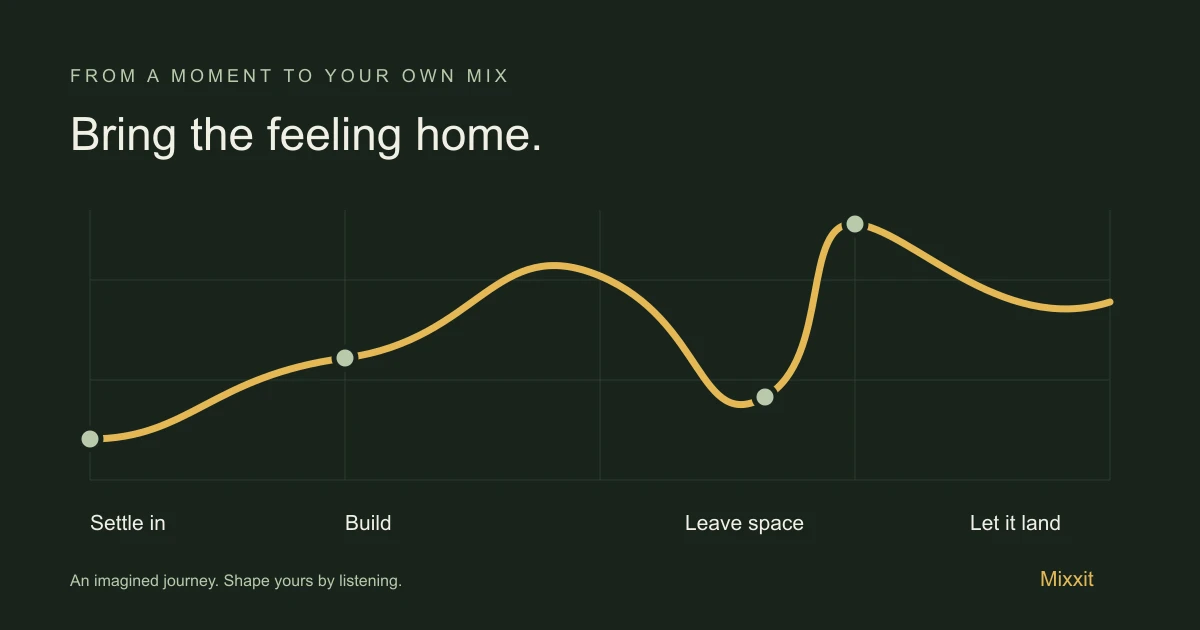
Once two tracks work together, build a short mix around them. Try five or six tracks before planning an entire night. Give each a job: invite someone in, establish a groove, build expectation, offer a contrast, deliver your favourite moment, leave them with something.
Those jobs do not have to mean ever-higher BPM. A quieter section can make the return of the drums feel stronger. A familiar song can lift the mood without speeding anything up. Staying with a groove can be more compelling than constantly changing it.
Three ways to make it yours
- Keep the groove, change the records. Use a house mix to explore how long a rhythm can hold your attention before the next idea is needed.
- Keep the anticipation, change the melody. In a trance mix, give a melodic arrival space by choosing carefully what comes before it.
- Keep the momentum, change the texture. In a techno mix, try a change in percussion or density instead of treating every transition as a big reveal.
Your reference might come from any genre. The question stays the same: what made you want to keep listening? Recreating the original teaches you to notice; changing the ingredients helps you discover your own taste.
Tonight: two tracks and one moment
Choose a set above. Find one transition you want to understand, then pick two local tracks and open them in Mixxit. Build a first version, listen away from the screen, and make one change. Save the project so you can come back with fresh ears.
When your short mix feels right, export it and listen from beginning to end. Picture where it belongs: the journey home, the first evening of a holiday, a kitchen with friends. You started with someone else’s moment. Now you are deciding what yours should feel like.
Download Mixxit for Mac and try your first transition →
Mixxit’s 14-day trial needs no payment card. Windows is coming soon. For help with the app itself, see getting started and mixing in Mixxit.
An independent Mixxit guide. No affiliation with Amsterdam Dance Event, SLAM! or the featured artists is implied. Recordings remain with their original publishers.
Make room for your next mix
Mixxit gives you a clear timeline and hands-on transitions. It is available for macOS, with Windows coming soon. Explore the workflow and start thinking about the tracks you want to bring together.
Try Mixxit for macOS →