Software & workflow
AI DJ Software: Make Room for Your Own Taste
There’s a particular pleasure in hearing two tracks come together.
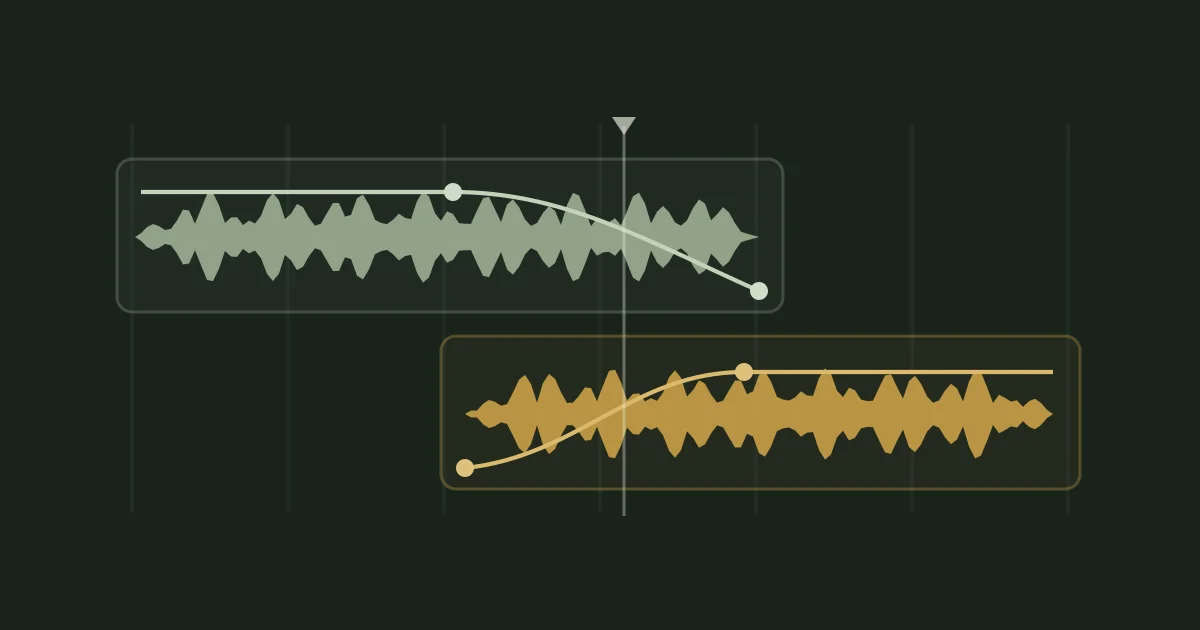
You move one a little earlier. Let the other play a little longer. Try the bass handover again. Then something clicks: the transition feels right, and you want to hear it one more time.
That feeling is why we’re building Mixxit.
AI can help with parts of preparing a mix. But choosing the music, discovering an unexpected combination and deciding when to bring the next track in are things we want to enjoy doing ourselves.
What do you want the software to do?
“AI DJ software” can mean several different things. Some tools suggest a track order. Others separate vocals and instruments, analyze beats, or create transitions automatically.
Those features serve different purposes. You might want a quick mix with very little input. You might enjoy getting suggestions and changing them. Or you might already have a folder of tracks you love and want somewhere to work on a mix of your own.
Mixxit is built around that last experience: arranging music on a timeline, shaping the overlaps and listening until you’re happy with how it flows.
You don’t need to have the whole set planned. Sometimes two tracks and a little curiosity are enough to get started.
Let analysis help you get going
Preparing music can involve repetitive work. Finding the tempo and identifying beats give you a useful starting point. An estimated musical key can suggest combinations worth trying.
Mixxit analyzes your tracks so you can spend more time working with the music.
The results are guides. A BPM reading doesn’t tell you whether a transition feels rushed. A compatible key doesn’t tell you whether two vocals get in each other’s way. And neither can explain why a particular track belongs at a particular moment in your mix.
Listening is how you make those decisions.
Your favourite transition might be the unexpected one
Perhaps you want to hold a groove for another phrase before introducing something new. Perhaps the next track should arrive suddenly. Perhaps two tracks that look like an unlikely pairing give the mix exactly the change of mood it needs.
You can try it.
Move the overlap. Listen to the incoming percussion. Notice what happens when both basslines play together. Adjust the handover and listen again.
Some experiments won’t work. Others will give you an idea you wouldn’t have found by following a suggested order.
A mix starts to feel personal through those choices: the tracks you keep coming back to, the moments you give space, and the transitions that make you smile.
Take your time with it
When you’re creating a recorded mix, there’s room to return to a decision.
In Mixxit, you arrange tracks on a timeline. You can see the overlap, adjust the timing and shape the transition with volume and EQ. If something feels wrong when you listen back, go back to that part and work on it.
You don’t have to get the whole mix right in one performance.
That leaves room for small discoveries. A shorter blend might give the next track more impact. A longer one might let a new groove emerge gradually. Sometimes the best change is simply allowing a favourite passage to play.
The best part? You can try that transition again.
A simple way to start
Choose two tracks you’re excited to hear together. Here’s the workflow we’re building Mixxit around:
- Add them to Mixxit. Let the analysis finish, then place them on the timeline.
- Listen for a handover. Find a passage in the first track where you’d like the next one to enter.
- Try an overlap. Listen to the rhythm, bass and vocals together.
- Change one thing. Move the incoming track, adjust its volume or reshape the bass handover.
- Listen from a little earlier. Give yourself enough musical context to feel whether the transition works.
There doesn’t have to be a perfect answer. You’re looking for a version you enjoy—and learning what you like as you go.
Once those two tracks feel good together, bring in another.
Where AI fits in Mixxit
Mixxit uses machine learning as part of its beat analysis. That helps prepare the track for editing; it doesn’t choose your playlist or make the creative decisions for you.
You choose the order. You decide how long a blend should last. You decide whether to build energy, settle into a groove or take the mix somewhere surprising.
We want the software to make it easier to explore those ideas.
Whether you’re returning to mixing after years away or putting together your first recorded set, there’s plenty of enjoyment in spending time with music you love—and finding your own way to connect it.
Start with a couple of good tracks. See where your ears take you.
Make room for your next mix
Mixxit is being built around a clear timeline and hands-on transitions. It is coming soon for macOS and Windows. Explore the workflow and start thinking about the tracks you want to bring together.
Check availability →